Reference
Release notes
What this does: release notes say what changed in each freePanel release, and what you should know or do before you upgrade.
When you need it: before you update freePanel on your server.
Read them in your panel
The release notes that match the version on your server are in the admin panel.
Where: Server > Release notes
To read the release notes
- Open Server > Release notes.
- At the top you see This server runs version ....
- Below it, Coming in the next release lists changes your copy already has, then Releases lists each release so far, newest first. The newest is open; click Show to open an older one.
- To find something, type a word in Find in the notes. Only the changes that hold it stay in the list.
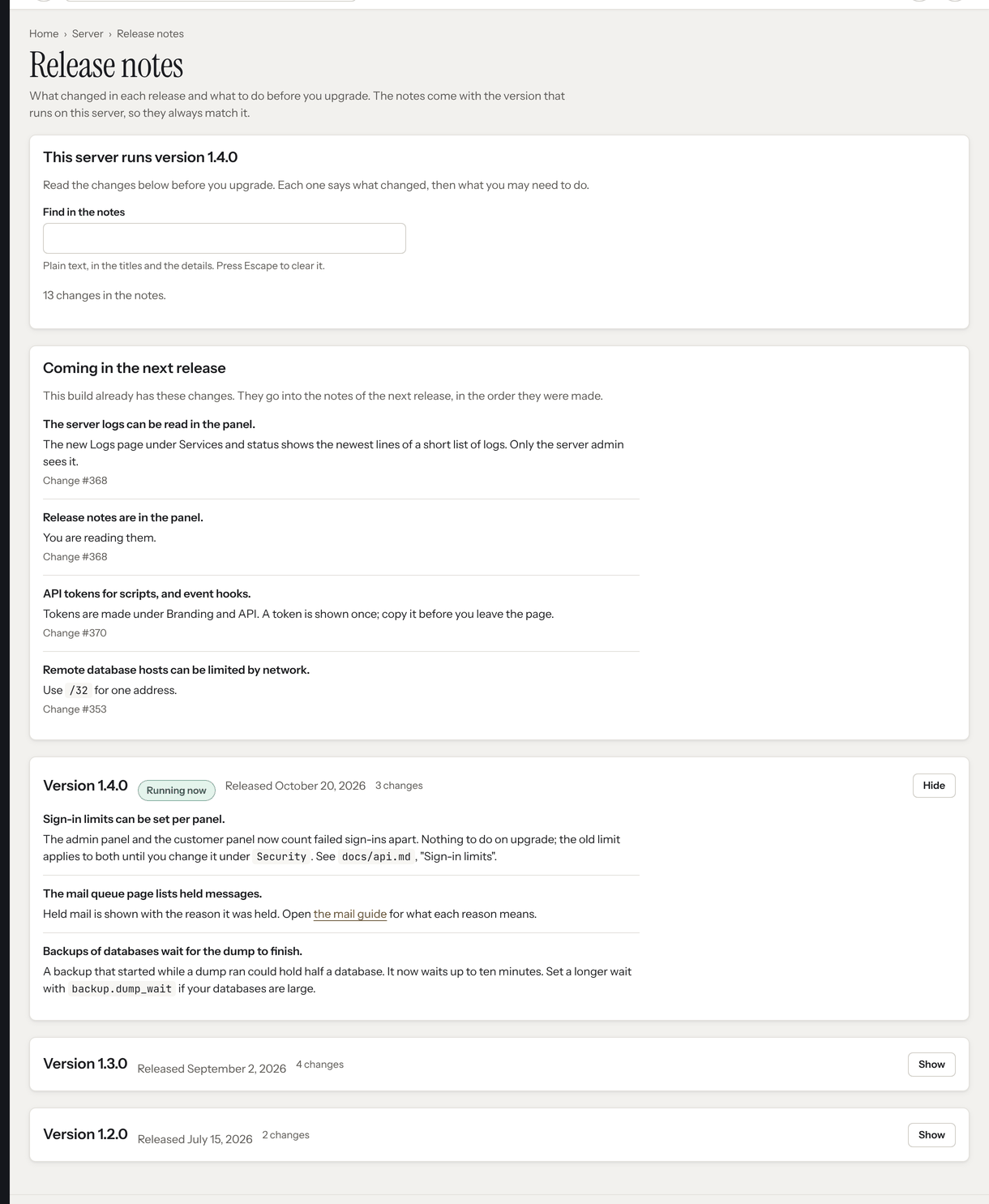
More detail: Release notes in the admin pages. Reading them changes nothing on your server.
Releases so far
The full notes for each release are in your panel. In short:
1.0.8
- RHEL 10 installs, with no warning. See Supported systems.
- Tighter limits on accounts without a normal shell. Their cron tasks run in their jail, and their sites' PHP can't start other programs. A site that runs a program from PHP, such as an image tool, needs its account's shell set to Normal. See Shell access.
- Saving web server includes asks for your own password. See Web server includes.
- The root terminal works only in the page that opened it. After you reload the page, close the old terminal and open a new one. See Root terminal.
- Security fixes from a further review, and freePanel's own services are held more tightly by SELinux (AlmaLinux, Rocky Linux and RHEL) and AppArmor (Ubuntu and Debian). Nothing to do.
1.0.7
- Update freePanel from the panel. Server > Server updates has a freePanel version card that checks for a new release and updates to it, and puts the old version back if the update fails. A server installed before 1.0.7 runs the one-line install once first. See Server updates.
- Dedicated IP addresses. A package can give each account an IP address of its own, its mail can leave from that address, and you can sell an address as a billing add-on. See Packages.
- Servers behind NAT. A server behind a router uses the router's public address, set with
--public-ipor in Server > IP addresses. Several public addresses behind 1:1 NAT work too. See If the server is behind NAT.
1.0.6
- Move from another billing system. Clients, services, domains and what they still owe come across in one step, from the old system's API or a copy of its database. Resellers can move their own clients. See Moving everything from your old billing system.
- MongoDB on demand. You install it from Databases > MongoDB, and each account gets its own MongoDB databases. See MongoDB.
- An optional Varnish cache in front of your sites, installed with
--varnishand turned on in Web server and PHP > Varnish cache. See Varnish cache. - Composer for each site. Customers run
composer installorcomposer updatefrom their panel. See Composer. - No more warning on AlmaLinux 10, Rocky Linux 9 and 10, or RHEL 9. The installer still warns on RHEL 10 and CloudLinux.
- Pick the Node.js version for each app. You install Node.js versions in Web server and PHP > App hosting, and customers choose one per app.
- The Modern theme's home pages are tidier: no gaps between the admin cards.
1.0.5
- AlmaLinux, Rocky Linux and RHEL 10, as well as 9. See Supported systems.
- The web application firewall and the virus scanner are on from the start on new servers. See Installer options.
- Staff logins with roles, for the people who help you run the server. See Staff logins.
- Buy a licence from the panel, and move a licence to a new server at once. See Licence.
- Security fixes from a full review of the panel: among them, a new password ends your API tokens, and a login locked by someone guessing at it still lets its owner in.
- Updates: automatic updates now include PHP, the spam filter and freePanel's own packages; Roundcube 1.7.6, Adminer 6.3.0, and a fix for a kernel network flaw.
- Disk quotas are turned on at install. See Disk quotas.
Updating freePanel
From freePanel 1.0.7, update from the admin panel: open Server > Server updates and use the freePanel version card (how). If an update fails, the version that ran before is put back.
A server installed before 1.0.7 runs the one-line install again once, as root. That brings it to the newest release and lets it update from the panel from then on. It keeps your settings, accounts and certificates. If you chose your own services when you installed, give the same service options again (why).
The version your server runs is shown at the top of Server > Release notes, or by freepanelctl version (how).