Troubleshooting
Where the logs are
What this does: this page lists each log freePanel and its services write, and where it is on each family of systems.
When you need it: when a fix on the Troubleshooting page, or on a tool's own page, asks you to read a log.
A log is a file where a program writes what it did, one line at a time, newest at the end. When something fails, the last lines of the right log usually say why.
Read a log in the panel
Where: Services and status > Logs
To read a log
- Open Services and status > Logs.
- Under Logs on this server, find the log you want, such as Mail or Web server errors, and click Read in its box. A log marked Not on this server is not there to read.
- A box named after the log opens below, with its newest lines. The newest line is last, at the bottom.
- To see more or fewer lines, choose a number in Lines to show. To see only some lines, type a word in Only lines that hold, such as an email address. Then click Show lines.
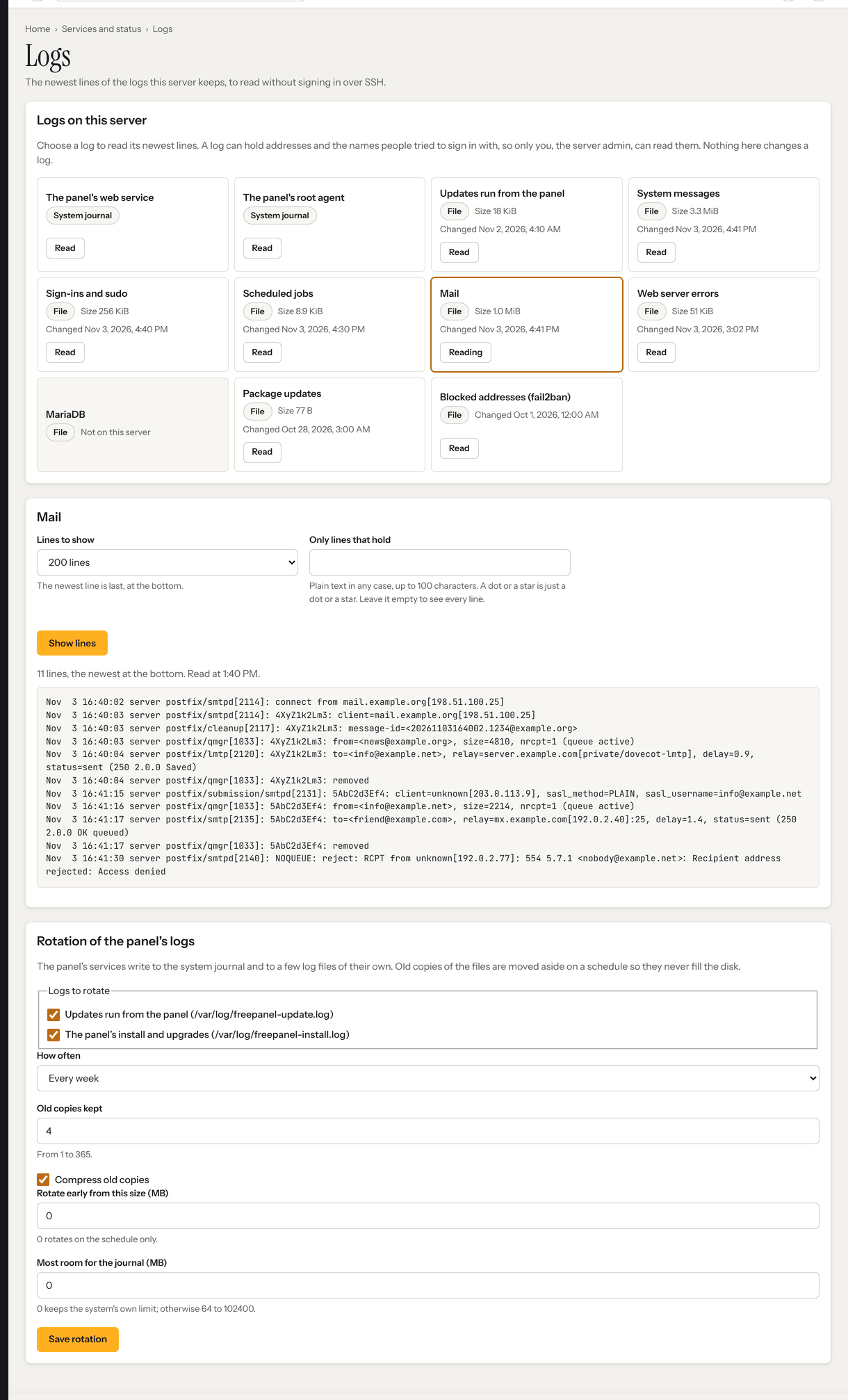
More detail: Logs in the admin pages.
Where each log is
"EL family" is AlmaLinux, Rocky Linux, RHEL and CloudLinux. "Ubuntu family" is Ubuntu and Debian. A log shown as journalctl -u ... is kept by the system's journal rather than in a file: on the server, type that command with -n 50 at the end to read its last 50 lines, such as sudo journalctl -u freepanel-api -n 50. A log shown as a file needs root to read too: type sudo tail -n 50 and the file's name, such as sudo tail -n 50 /var/log/maillog, to see its last 50 lines. As root, you can leave out sudo.
| Name in the panel | What it holds | EL family | Ubuntu family |
|---|---|---|---|
| The panel's web service | The panels and the API | journalctl -u freepanel-api | journalctl -u freepanel-api |
| The panel's root agent | Changes the panel makes to the system | journalctl -u freepanel-privd | journalctl -u freepanel-privd |
| Updates run from the panel | freePanel updates started in the panel | /var/log/freepanel-update.log | /var/log/freepanel-update.log |
| System messages | General messages from the system and its services | /var/log/messages | /var/log/syslog |
| Sign-ins and sudo | SSH sign-ins and sudo use | /var/log/secure | /var/log/auth.log |
| Scheduled jobs | Scheduled tasks (cron) | /var/log/cron | journalctl -u cron |
| Mail sent, received and refused | /var/log/maillog | /var/log/mail.log | |
| Web server errors | Errors from Apache and the websites | /var/log/httpd/error_log | /var/log/apache2/error.log |
| MariaDB | The MySQL database server | /var/log/mariadb/mariadb.log | /var/log/mysql/error.log |
| Package updates | System package installs and updates | /var/log/dnf.log | /var/log/apt/history.log |
| Blocked addresses (fail2ban) | Addresses login protection blocked | /var/log/fail2ban.log | /var/log/fail2ban.log |
Logs that are not in the panel's list:
| Log | EL family | Ubuntu family |
|---|---|---|
| The installer | /var/log/freepanel-install.log (root only, as it holds the setup link) | the same |
| Web server, all logs | /var/log/httpd/ | /var/log/apache2/ |
| Any other service | journalctl -u <service>, such as journalctl -u pdns for DNS or journalctl -u dovecot for mailboxes | the same |
A customer can read their own sites' errors in their panel, in Stats and logs > Error log (how), and download raw visitor logs in Stats and logs > Access logs (how).