Reseller panel
Your branding
What this does: puts your own name, help link and logo in your customers' hosting panel, instead of your host's.
When you need it: when you sell hosting under your own brand and don't want your customers to see your host's name.
You can change your branding only when your host has given you the Branding right (see Your limits and rights). Without it you can see what is set, but not change it. Your host can always set it for you.
Who sees what
- Your customers see your name, help link and logo in their hosting panel.
- The sign-in pages on your host's address, your own reseller panel and your host's panel keep your host's branding.
- On your own panel address (see Your own panel address), the sign-in page shows your name and logo too.
Anything you leave empty shows your host's instead.
To set your branding
- Sign in to the admin panel with your reseller login.
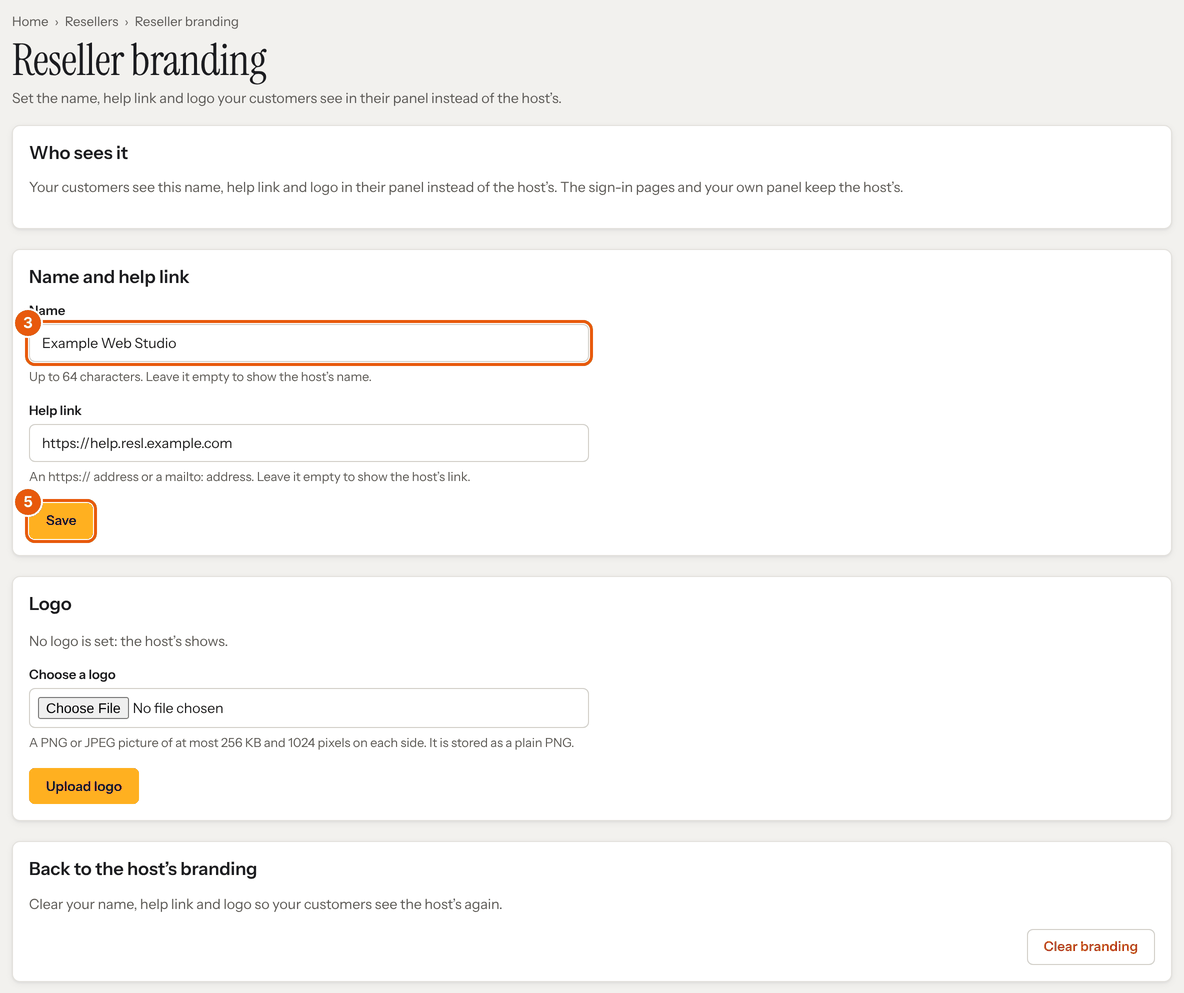
- In the menu, open Resellers, then Reseller branding. The card Who sees it says who sees your branding. The boxes below show what is set now; an empty box means your host's shows.
- Under Name and help link, in Name, type your business name, for example
Example Web Studio. Up to 64 characters. - In Help link, type where your customers get help: an
https://address such ashttps://help.resl.example.com, or amailto:address such asmailto:help@resl.example.com. - Click Save. You see "Saved."
To add your logo
- Make your logo a PNG or JPEG picture of at most 256 KB and at most 1024 pixels wide and high.
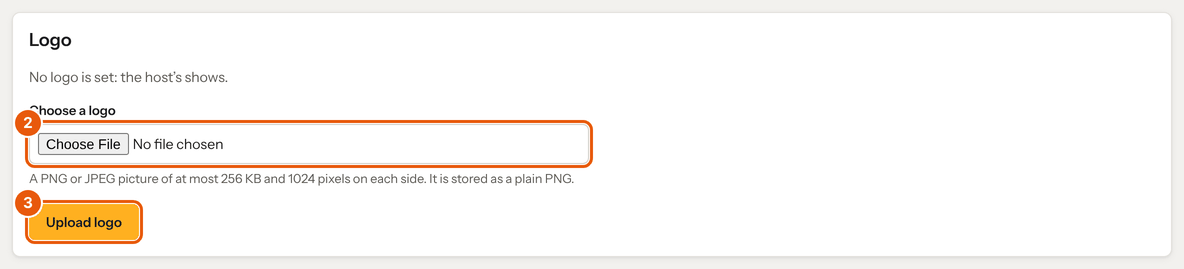
- On the same page, in the Logo card, click the file button under Choose a logo (it says Choose a new logo once you have one) and pick the file.
- Click Upload logo. You see "The logo is saved." and the Logo card shows your logo instead of "No logo is set: the host’s shows".
To take the logo away, click Remove logo. To clear everything and go back to your host's branding, click Clear branding, then Clear branding again next to the question.
If something goes wrong
- If you see "Your host has not given you the right to set your own branding …", ask your host to turn on Branding for you in Resellers > Reseller rights.
- If you see "Use an https:// address or a mailto: address, like https://help.example.com or mailto:help@example.com.", start the help link with
https://ormailto:. - If you see "Use up to 64 printable characters.", shorten the name.
- If you see "The file is over 256 KB. Use a smaller picture.", save the logo smaller or with fewer colours, then upload it again.
- If you see "The picture is … by … pixels. Use one of at most 1024 on each side.", make the picture smaller in a picture editor.
- If you see "Use a PNG or JPEG picture.", save the logo as PNG or JPEG.